

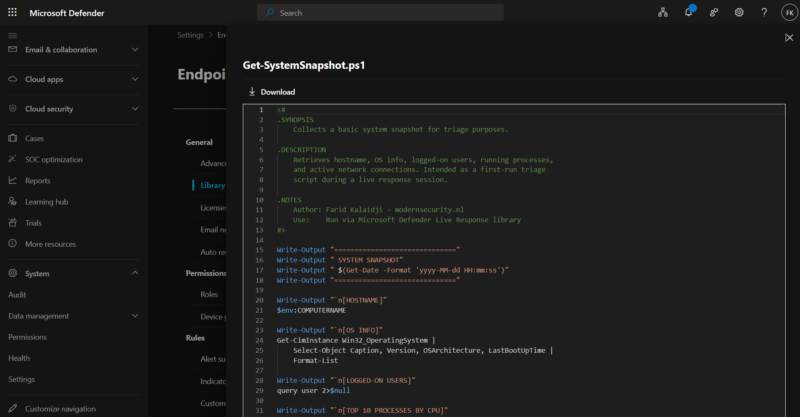
If you’ve been using live response in Microsoft Defender for Endpoint for a while, you’ve probably felt the friction. A critical incident comes in, you initiate a session, and then the race begins — digging through folders, shared drives, and old Teams chats trying to locate the right PowerShell script before the attacker moves laterally to the next system.
In DFIR scenarios where every minute counts, that lack of a centralized, ready-to-go script library is a real operational problem. You’re context-switching between the investigation and hunting for tools that should already be at your fingertips. That pain point is now addressed. Microsoft introduced library management for live response, which entered public preview in February 2026 and reached general availability in March 2026.
If you’re new to live response itself, I covered the foundations — including selective isolation and how it enables safe forensics during containment — in my earlier post: Selective Isolation in Defender for Endpoint – Combining tools like Velociraptor for DFIR. This post builds on that and focuses specifically on the new library management experience.
What is live response library management?
Library management is a dedicated section in the Microsoft Defender portal that provides a centralized, tenant-level repository for all scripts and files used during live response sessions. Before this feature existed, the only way to add a script to the library was from within an active session — not ideal during an escalating incident.
The problem it solves is a familiar one: scripts scattered across personal laptops, shared drives, and GitHub repos with no consistent versioning, no team-wide visibility, and no audit trail. Library management consolidates all of that into a single managed location inside Defender itself.
Prerequisites and licensing
| Requirement | Details |
|---|---|
| MDE license | Microsoft Defender for Endpoint Plan 1, Plan 2, or Microsoft Defender for Business |
| Copilot analysis | Requires a separate Microsoft Security Copilot license |
| RBAC – basic live response | Initiate sessions, download files, and perform read-only actions |
| RBAC – advanced live response | Upload files, run scripts, and perform advanced actions — required for modifying the library |
What you can do with it
All operations are available outside of an active live response session, which is the key improvement over the previous experience:
- Upload PowerShell scripts, batch files, and other response utilities in advance
- View script contents directly in the Defender portal without switching to an external editor
- Download files back to your workstation when needed
- Delete outdated or redundant scripts in a single click
- Analyze scripts using Microsoft Security Copilot (license required)
The Copilot analysis is worth highlighting. Select a script and choose Analyze, and Security Copilot generates a natural-language summary covering what the script does, the methods it uses, any network calls or privilege operations, and potential execution risks. This is especially useful when analysts are working with inherited toolsets. Without a Copilot license, you can still view script contents — you just won’t get the automated analysis.
How to set it up
Navigate to the library management page via Settings → Endpoints → Library management in the Microsoft Defender portal. You can also reach it directly from within an active live response session.
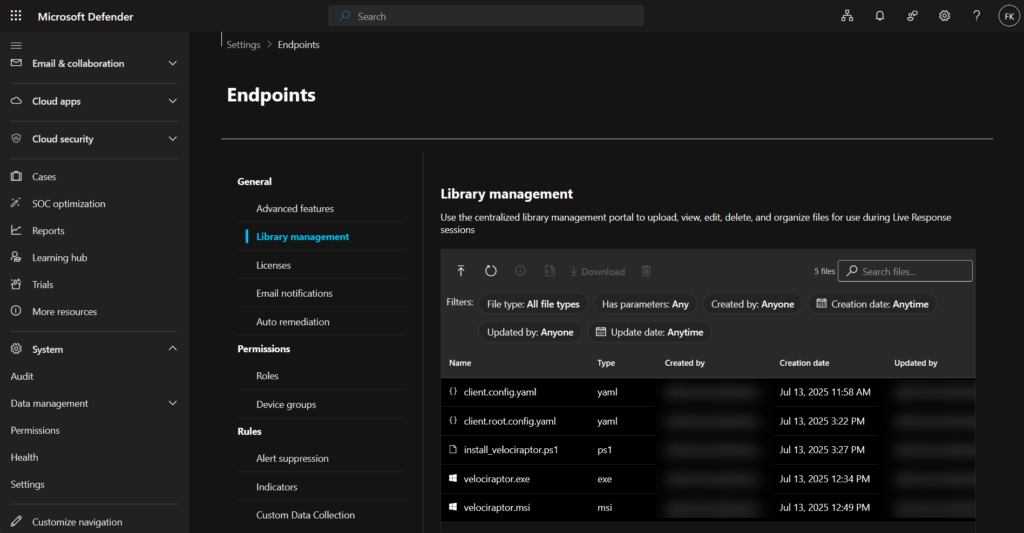
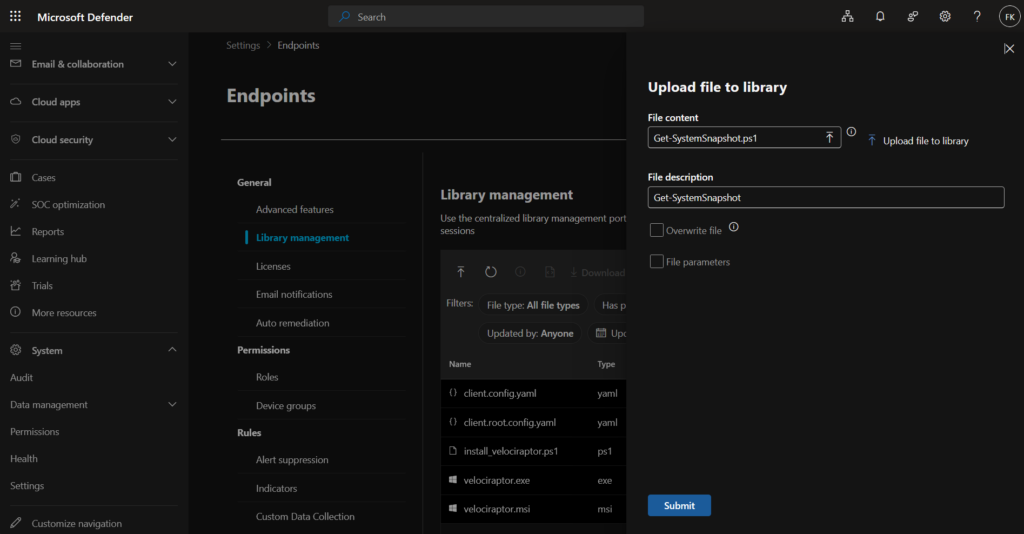
To upload a script:
- Select Upload from the top menu
- In the upload panel, select Upload file to library and choose your file
- Add a file description — this is the only documentation other analysts will see, so make it count
- If you’re replacing an existing script, check Overwrite file
- Optionally add a parameters description if the script accepts arguments
- Select Submit to complete the upload
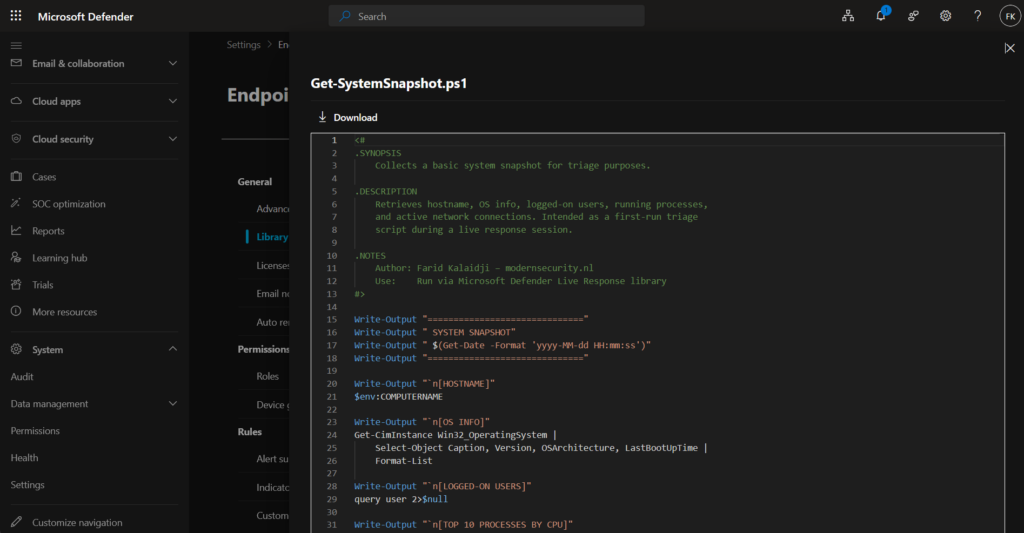
The file is immediately available to all authorized analysts across the tenant. There are no per-device or per-device-group restrictions at the library level.
Audit logging
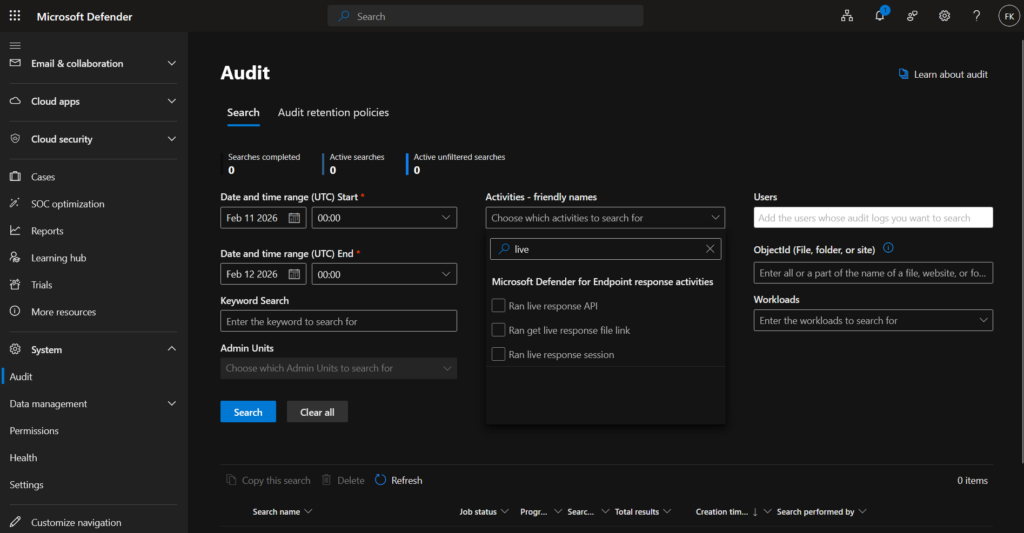
All library management actions are tracked in the Microsoft Defender audit log — uploads, downloads, deletions, and file listings, each recorded with user context and a timestamp. To view these logs, go to Settings → Audit and filter using the following criteria:
- Activities – friendly names: Ran live response session
- Record types: MSDEResponseActions For managed service environments where multiple analysts share access to the same tenant library, this gives you full visibility into who changed what and when.
What this means for SOC teams
Library management shifts the mindset from reactive to prepared. Instead of scrambling mid-incident, teams can now pre-stage a standard toolkit before any alert fires — triage scripts, forensic collectors, persistence checkers — and keep it versioned through the description field. New analysts can explore the team’s standard toolset through the portal, with Copilot to explain anything unfamiliar.
In an MSP or MSSP context, this has immediate operational value. Inconsistent script collections across customer tenants are the norm when you’re managing 50+ environments. A centralized, auditable library per tenant brings consistency that previously required custom automation around the Live Response API.
A word on security
Live response runs in a privileged context on endpoints. A centralized script library increases the blast radius if an account is compromised or if scripts aren’t reviewed before upload. A few things worth enforcing: separate upload and execute permissions in RBAC so not every analyst who can run scripts can also add new ones, restrict live response on tier-0 assets unless a formal escalation process is in place, and don’t treat Copilot analysis as a security gate — it provides context, not sandboxing. Test scripts in a controlled environment before they land in a shared tenant library.
Resources
Selective Isolation in Defender for Endpoint – modernsecurity.nl
Manage the live response file library in Microsoft Defender for Endpoint – Microsoft Learn
Live response command examples – Microsoft Learn
What’s new in Microsoft Defender for Endpoint – Microsoft Learn
Monthly news – March 2026 (February updates) – Microsoft Tech Community
Summary
Library management for live response is one of those features that quietly makes a significant operational difference. It removes friction from incident response preparation, brings consistency across analyst teams, and adds an audit trail that managed service providers have needed for a while. The feature entered public preview in February 2026 and reached general availability in March 2026.