


ISOC introduction
On September 23, Microsoft announced the Integrated Security Operations Center, or ISOC, in Microsoft Defender. My LinkedIn feed filled up within the hour, and the first question I got was simple: “So is Sentinel dead?”
Short answer: no.
Longer answer: this is the most interesting change to Microsoft’s SOC story since Sentinel moved into the Defender portal, and it changes where many organisations will start. In this post I explain what ISOC is, who it is for, how it compares to Microsoft Sentinel and Defender XDR, and what I would check before using it.
What is ISOC in Microsoft Defender?
The key sentence is in Microsoft’s own FAQ: ISOC is not a new product. It is a benefit on top of Microsoft Defender Suite, Microsoft 365 E5 and E7 that brings SIEM capabilities from Microsoft Sentinel into the Defender portal.
In practice it does two big things:
- It turns on SIEM features in Defender for organisations that never deployed Sentinel.
- It uses the Defender data you already have, without separate ingestion, and extends retention from 30 to 90 days on November 15, 2026.
Until now, E5 gave you excellent XDR, but a SIEM meant a separate Sentinel purchase and project. That is the gap ISOC closes.
Microsoft frames the announcement around attackers: they use AI agents to automate at scale, and every handoff between separate protection and operations systems slows defenders down. Microsoft describes a stack of sensors and signals, context, models, a harness, agents and actuators, with ISOC as the foundation.
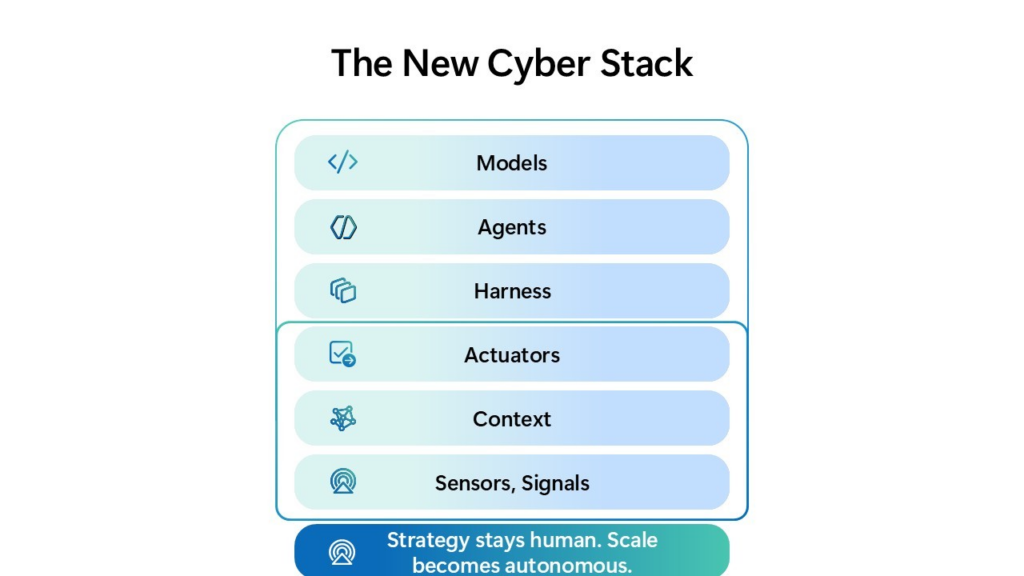
It’s worth separating the vision from what ships today. The agents come from Project Perception, introduced in July, which is a limited preview for a small, invitation-only group of customers, with its own consumption-based pricing. ISOC itself doesn’t require Perception. I see it as laying the shared data and workflow foundation that agents will need later, and I think it should be judged on what it delivers without them.
What you get on day one
Eligible tenants see these capabilities appear in the Defender portal without extra configuration:
- Case management. Incident cases and generic cases, with tasks, templates, SLA policies and activity history. No workspace needed.
- Workbooks. Dashboards built on advanced hunting queries, with example workbooks to get started.
- Enhanced automation rules.
- Natural-language playbook generation. Describe the automation you want, and the generator writes a Python playbook for you to review, test and activate.
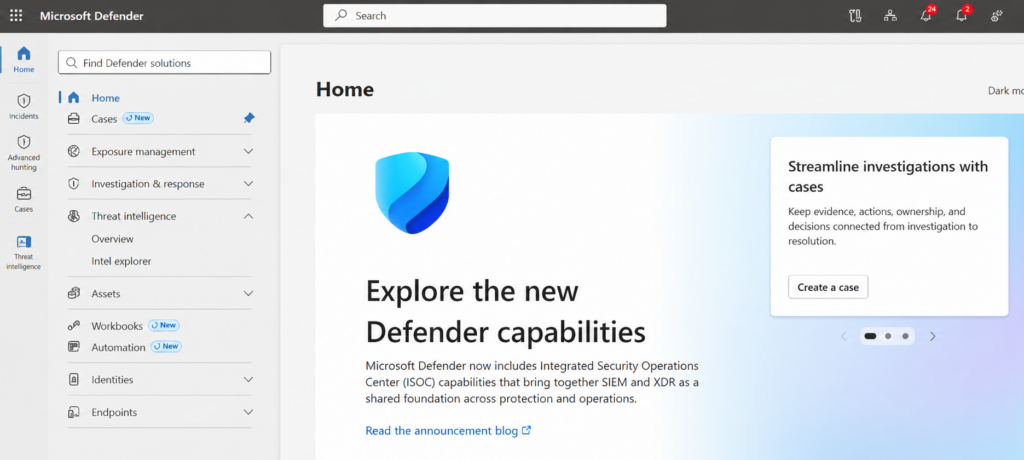
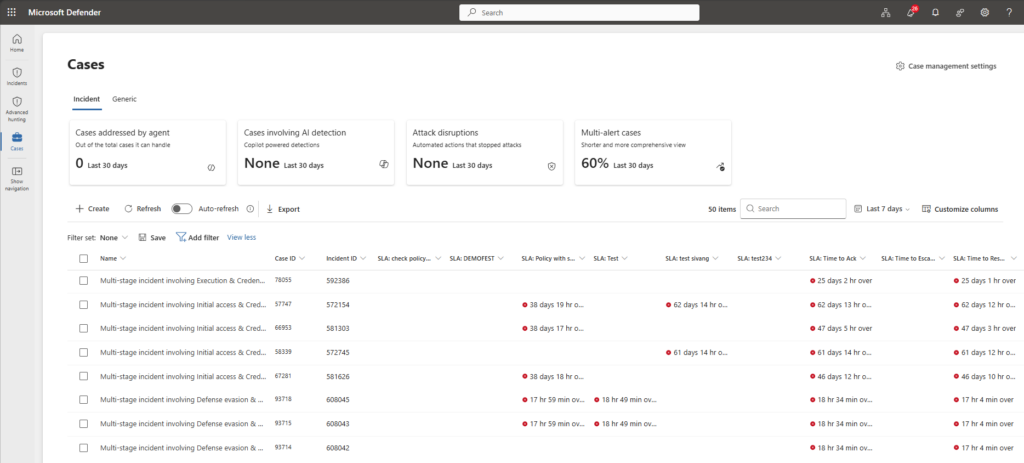
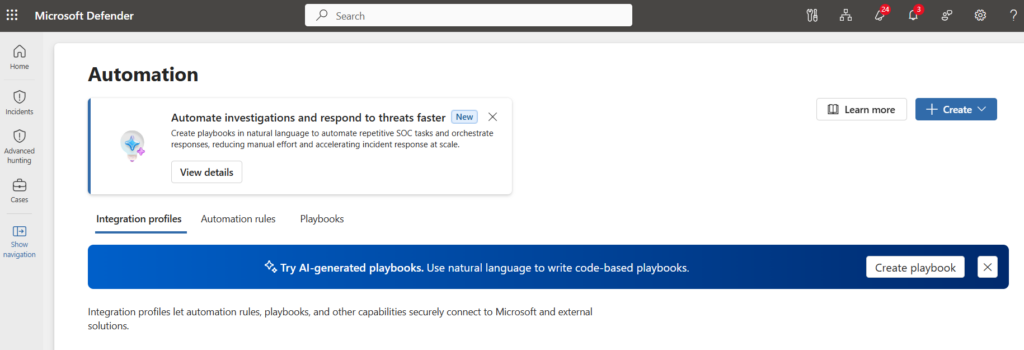
The included data covers Defender for Endpoint, Office 365, Identity, Cloud Apps and Cloud, plus Entra ID Protection logs, and Azure Activity and Office 365 Activity logs through a connector. There is no minimum seat count.
What requires an ISOC workspace
When you need more than native Defender data, you create an ISOC workspace linked to an Azure subscription. That unlocks UEBA, Content hub, CI/CD from repositories, threat intelligence, and non-Microsoft data through more than 500 connectors. From October 1, that non-Microsoft data is billed at $2.40 per GB on a pay-as-you-go meter. Regional pricing may vary.
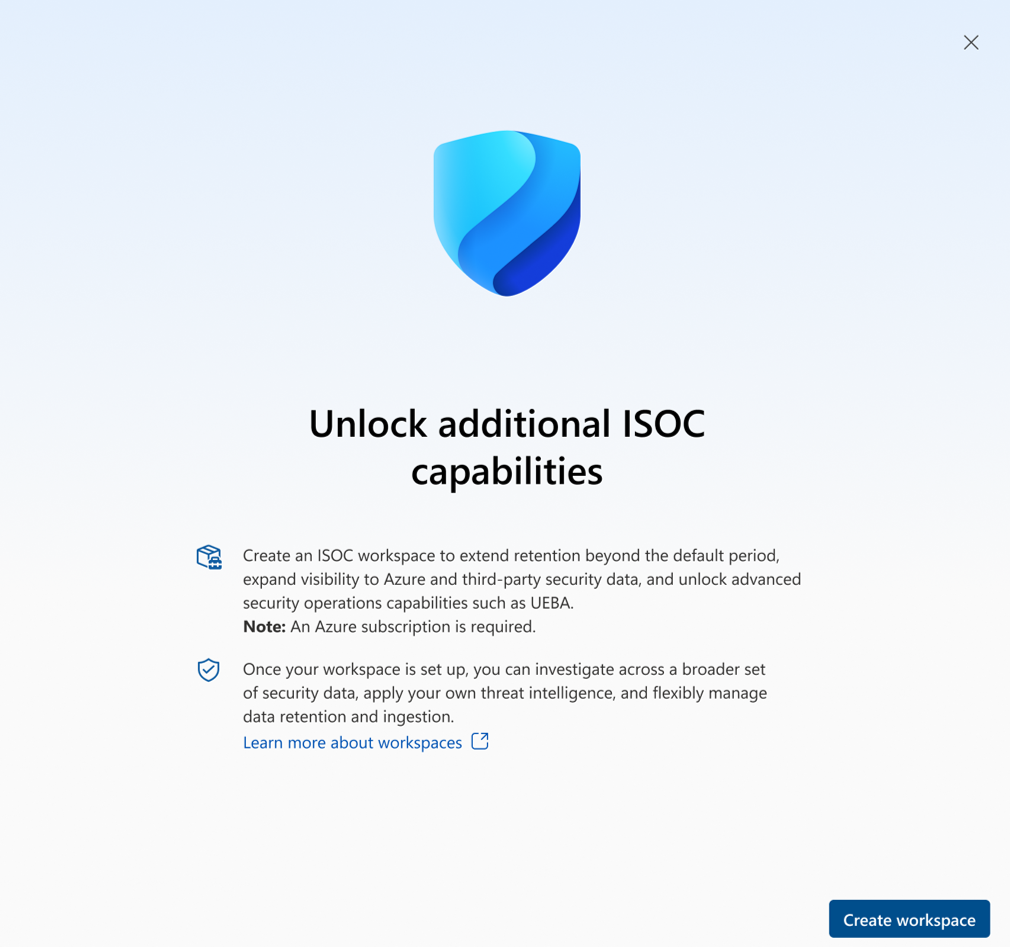
Two details in the documentation are easy to miss:
- Content hub is connector-only during the preview. If you install a solution, you get its data connectors, but not its analytics rules, hunting queries or workbooks. So budget time for building or porting detection content for every source you add. A connector without detections is just storage.
- UEBA is not part of the licence. Microsoft describes UEBA as an optional paid Sentinel capability that isn’t included with E5. It can analyse supported Defender tables without ingesting them first, which is a nice improvement, but its output is written to Log Analytics and those charges apply. If you want to know what UEBA brings, I covered the UEBA behaviors layer earlier.
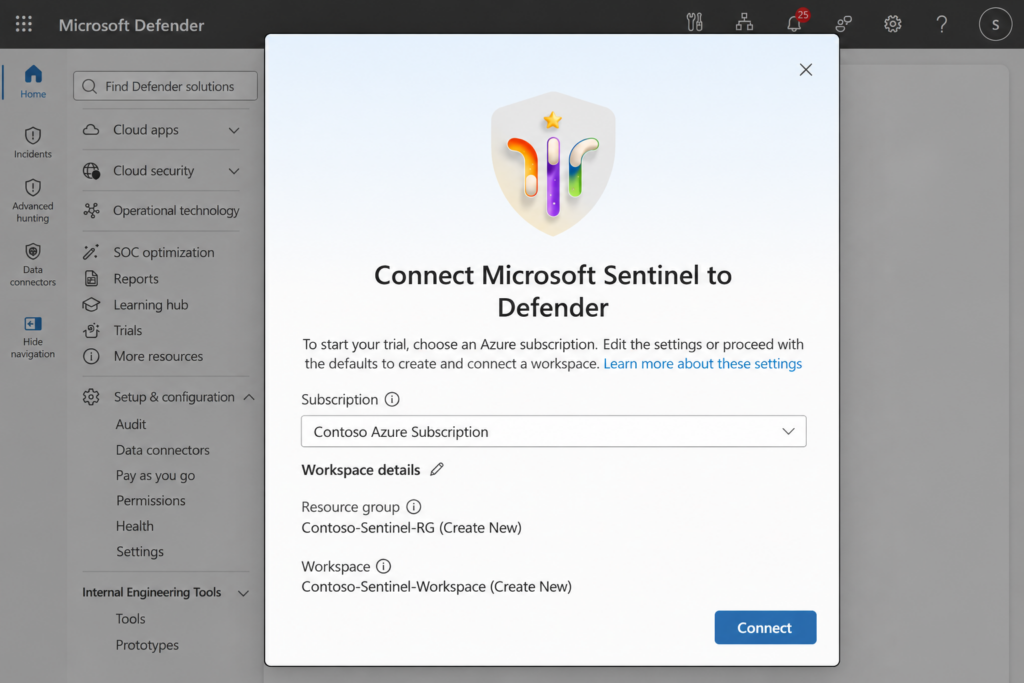
One more observation: you create the ISOC workspace under Settings > Microsoft Sentinel > SIEM workspaces, and it requires the Microsoft Sentinel Contributor role. My reading is that this is the Sentinel foundation, packaged and licensed differently, rather than a new SIEM engine. Microsoft’s documentation doesn’t state what kind of resource you end up with but I’ll make a guidance on this soon.
Who is ISOC for?
Right now: organisations with Microsoft Defender Suite, Microsoft 365 E5 or E7 that do not have an active Microsoft Sentinel workspace. You need an Azure subscription if you want the workspace.
From November 15, 2026: existing Sentinel customers who meet the licensing criteria can choose to move to ISOC. Until then, Microsoft’s advice is clear: keep using Sentinel, and don’t disconnect a production workspace to qualify for the preview.
A note on Defender Suite: Microsoft’s documentation lists it as eligible, but the FAQ’s benefit section is written for E5 and E7. If you are on Defender Suite, check that ISOC actually shows up in your tenant, and get the retention and meter confirmed, before you plan around it.
ISOC vs Microsoft Sentinel vs Defender XDR
This is how I see the three side by side, based on what is documented today:
| Defender XDR alone | Microsoft Sentinel | ISOC in Defender (preview) | |
|---|---|---|---|
| What it is | Product | Product, separate purchase | Benefit on Defender Suite, E5, E7 |
| Who | Defender licensed tenants | Any organisation with an Azure subscription | No active Sentinel workspace now; eligible Sentinel customers from Nov 15, 2026 |
| Defender data | 30 days in advanced hunting | Ingested into the workspace; E5 grant covers up to 5 MB per user per day of eligible Microsoft data | Used in place, 30 days now, 90 days from Nov 15, 2026 |
| Non-Microsoft data | Not a SIEM | Yes, pay-as-you-go or commitment tiers | Yes, via ISOC workspace, $2.40/GB from Oct 1 |
| Cases, workbooks, playbooks | Incidents | Yes | Yes, no workspace needed |
| Content hub | Not applicable | Full solutions: connectors, rules, hunting, workbooks | Data connectors only in preview |
| UEBA | Not as a SIEM feature | Optional paid capability | With workspace, optional paid capability |
My take: Defender XDR remains the protection and detection engine. Sentinel remains the broad security data platform for organisations with many sources, mature detection content and long retention needs. ISOC is the new front door for E5 organisations that want SOC capabilities without first running a SIEM project.
The part I like most is retention. I have seen plenty of designs where Defender data went into Sentinel mainly to keep it longer than 30 days (apart from data lake). Paying to store Microsoft telemetry inside another Microsoft product never felt right. Ninety days included changes that discussion, and it fits the broader trend I wrote about in my post on lake-only ingestion for Defender XDR tables.
What about existing Sentinel customers?
My advice: evaluate per customer after November 15. There is no single right answer, because the outcome depends on the licence mix, the data sources and the detection content each environment has built. I’d look at five questions per environment:
- Licensing. Is the tenant fully on E5 or E7, or a mix? Defender Suite needs written confirmation.
- The E5 grant. Today, E5 includes a Sentinel data grant of up to 5 MB per user per day for eligible Microsoft data. Microsoft’s ISOC documentation doesn’t say whether that grant still applies once a workspace moves to ISOC. How much of your current ingestion does it cover, and what happens if it goes away?
- Identity detections. Entra sign-in and audit logs aren’t on ISOC’s included list, and they’re core detection data for most SOCs. Defender has its own EntraIdSignInEvents table for interactive and non-interactive sign-ins, and the UEBA documentation even maps it as the “Signin Logs” source. But its schema differs from SigninLogs; conditional access status, for example, is a numeric code instead of text. How many of your analytics rules depend on SigninLogs, and what would porting them cost?
- Retention-only ingestion. Which Defender tables do you ingest mainly to keep them longer than 30 days? Those are where ISOC’s 90 days pays off.
- Third-party sources. What would they cost on the $2.40 meter compared to your current rate, and which of them have detection content that Content hub won’t install for you?
Two things Microsoft hasn’t documented yet will also weigh in: what Microsoft data outside the included list costs under ISOC (the billing page only says additional ingestion charges might apply), and what happens to history, retention settings and content when an existing Sentinel workspace moves. Keep in mind that March 31, 2027 is when Sentinel leaves the Azure portal, whether you move to ISOC or not.
Multi-tenant and MSSP considerations
For anyone managing multiple tenants, the ISOC documentation is still thin:
- Creating the workspace requires Security Administrator in Entra ID, plus Owner, or User Access Administrator and Sentinel Contributor, on the Azure subscription. Organisations should think carefully before handing that level of access to a third party.
- In the Defender multitenant portal, GDAP only covers Defender data. Sentinel data requires Entra B2B, and cross-tenant Sentinel queries still require Azure Lighthouse.
- Case management is available in the multitenant portal, but I haven’t found documentation on ISOC workspaces, the benefit or generated playbooks in multi-tenant management.
Limitations and open questions
- It’s a preview. Capabilities and availability can change.
- Identity logs. Entra sign-in and audit logs aren’t on the included list, their cost under ISOC isn’t documented, and EntraIdSignInEvents has a different schema than SigninLogs.
- The E5 grant. ISOC documentation doesn’t address whether the E5 Sentinel data grant still applies after moving.
- Content hub installs data connectors only during the preview.
- UEBA is an optional paid capability, and its output incurs Log Analytics charges.
- Playbook generator limits. Python only, no external libraries, no playbook nesting, up to 100 playbooks per tenant, 5,000 lines per playbook, 10 minutes maximum runtime and 8 million AI tokens per day per tenant. Generated code must be reviewed manually.
- Enhanced alert trigger rules don’t support priority ordering, execute one action per rule, and can only run generated playbooks or update alerts.
- Multi-tenant guidance for ISOC is missing.
How I would get started
If you’re eligible and don’t run Sentinel, here’s the order I’d follow:
- Sort out permissions first. Automation uses Unified RBAC, with separate permissions for automation admin, rules, integrations and playbooks. Decide who can create and who can execute before anyone starts experimenting.
- Configure integration profiles. Generated playbooks can only call Microsoft Graph and Azure Resource Manager once those profiles exist, so set them up with least-privilege access from the start.
- Explore the example workbooks. They’re a quick way to see what your Defender data looks like as dashboards before you build your own.
- Treat generated playbooks as code. Review, test and put them under change control like any other automation. I wrote about the Sentinel AI playbook generator before, and the same rule applies: easy to create should never mean easy to deploy badly.
- Add a workspace only with a plan. For each extra source, know the cost and who will write its detections.
I’ll test ISOC hands-on in a lab tenant and follow up with screenshots and findings. If you’re testing it too, I’d love to hear what you run into.
Sources
- Reimagining the SOC for the agentic era in Microsoft Defender (Microsoft Security Blog)
- Integrated Security Operations Center in Microsoft Defender (Microsoft Tech Community, incl. FAQ)
- ISOC in Microsoft Defender overview (Microsoft Learn)
- Data ingestion and billing for ISOC (Microsoft Learn)
- Create an ISOC workspace (Microsoft Learn)
- Use Content hub with ISOC (Microsoft Learn)
- Connect data sources to UEBA with Microsoft 365 E5 (Microsoft Learn)
- Automation with ISOC (Microsoft Learn)
- Create and manage workbooks with ISOC (Microsoft Learn)
- Case management in the Microsoft Defender portal (Microsoft Learn)
- EntraIdSignInEvents table (Microsoft Learn)
- Set up Microsoft Defender multitenant management (Microsoft Learn)
- What is Project Perception? (Microsoft Learn)
- What’s new for Microsoft’s unified security operations (Microsoft Learn)
Conclusion
ISOC is not the end of Sentinel. It is a new starting point. For E5 and E7 organisations without a SIEM, it removes the biggest barrier: they get case management, workbooks, automation and 90 days of Defender data without a separate purchase or project. That alone makes it worth switching on.
For existing Sentinel customers, the picture is less simple. The benefits are real, but so are the open questions around the E5 grant, identity logs, detection content and migration. That is why I would evaluate per customer after November 15, not move by default.
The bigger shift is where the value of a SOC sits. When the platform comes with the licence, the difference is made by good detections, well-governed automation and people who know what to do with an alert. ISOC makes the platform easier. It doesn’t make security operations easier.