

Introduction
Microsoft has taken another step in closing the gap between internal risk and external exposure. With the June 2025 public preview release of Microsoft Defender External Attack Surface Management (EASM) integration into Defender Exposure Management, organizations can now analyze attacker pathways that begin outside the enterprise perimeter.
This addition enables a more realistic, end-to-end understanding of exploitable risks, bringing external visibility directly into the risk modeling engine of Microsoft Defender XDR. In this guide, in addition to my earlier posts about Defender EASM and Exposure Management, I walk through how this integration works, what it unlocks, how to enable it, and what to look out for when validating the setup.
From internal misconfigurations to external threat vectors
Traditional exposure management has largely focused on the internal environment: devices, identities, configurations, and software vulnerabilities. While these remain foundational, the increasing complexity of digital footprints means that external exposures—publicly accessible assets, misconfigured services, and shadow IT—pose an equally significant risk.
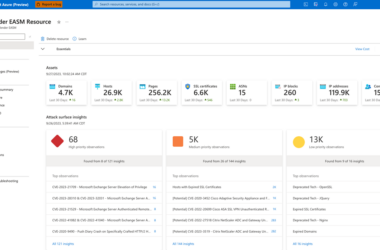
Microsoft Defender EASM is designed to continuously discover and monitor an organization’s public-facing assets, such as:
- Untracked or legacy subdomains
- Exposed endpoints (e.g., RDP, VPN, or admin portals)
- Expired or weak TLS certificates
- Public cloud assets or services configured without proper access control
By integrating this data into Defender Exposure Management, security teams gain the ability to prioritize and remediate exposures that attackers are most likely to exploit.
What this integration enables
The integration between EASM and Exposure Management introduces several critical capabilities:
- Unified visibility across surfaces
Previously siloed views of internal and external risk are now converged in a single pane of glass, enabling defenders to take action with complete context.
- Attack Path enrichment
External assets discovered by EASM are now included in attack path modeling within Defender Exposure Management. This allows for the identification of realistic exploitation scenarios beginning from internet-facing infrastructure.
- Risk-based prioritization
Exposure paths involving externally accessible services—especially those lacking MFA, endpoint protection, or conditional access—are now scored with higher severity, ensuring the most exploitable risks are surfaced.
How it works: a technical perspective
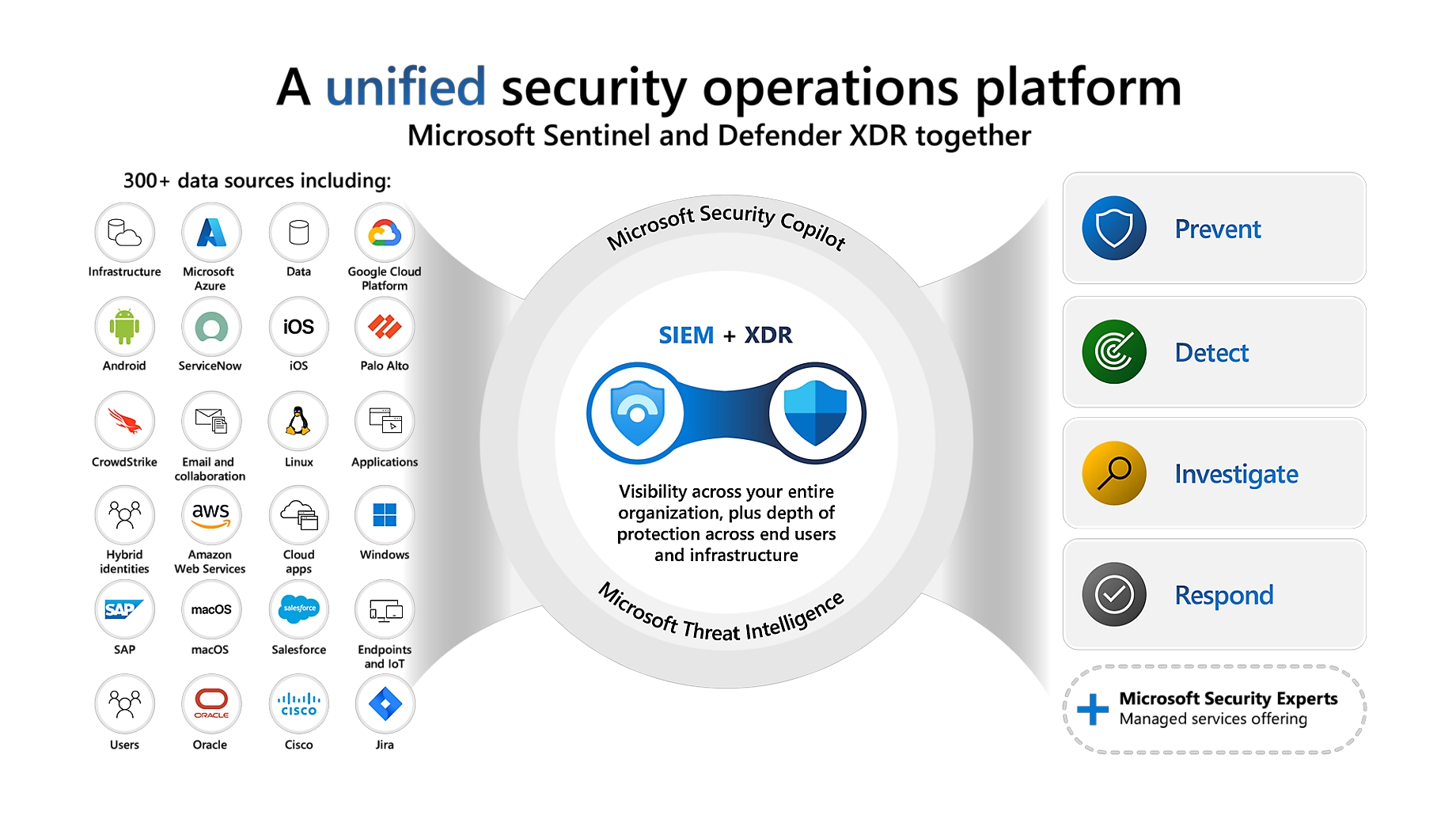
At the core of this integration is Microsoft’s threat intelligence pipeline, which now ingests telemetry from Defender EASM and correlates it with internal signals across Entra ID, Defender for Endpoint, and Microsoft 365.
The process is fully automated:
- EASM continuously discovers external assets using DNS resolution, certificate analysis, and passive fingerprinting.
- Exposure Management ingests EASM findings into its graph-based risk engine.
- Correlations are established between public-facing assets and internal objects (identities, devices, configurations).
- Attack paths are recalculated to reflect real-world attacker entry points.
No additional agents, scripts, or connectors are required.
Licensing and prerequisites
Before you begin, ensure the following conditions are met:
| Requirement | Description |
|---|---|
| Microsoft Defender EASM | Active EASM workspace with validated domains and discovered assets |
| Microsoft Defender XDR | Exposure Management (Preview) must be enabled in the tenant |
| License requirements | Microsoft 365 E5 + EASM (standalone or bundled license) |
| Same tenant | EASM workspace must be associated with the same Entra tenant as Defender XDR |
| Public preview availability | Feature is available in supported regions as of June 2025 |
Step-by-step guide
This guide explains how to integrate your Microsoft Defender EASM workspace into the Exposure Management experience in Microsoft Defender XDR.
Step 1 – Open Exposure Management in Defender XDR
- Go to the Microsoft 365 Defender portal
- In the left-hand menu, select Exposure management
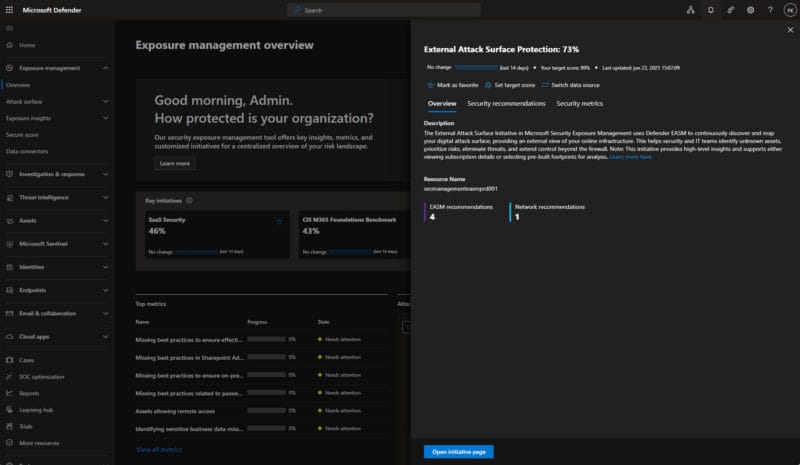
- Under Key initiatives, locate External Attack Surface Protection
- Click Open initiative page
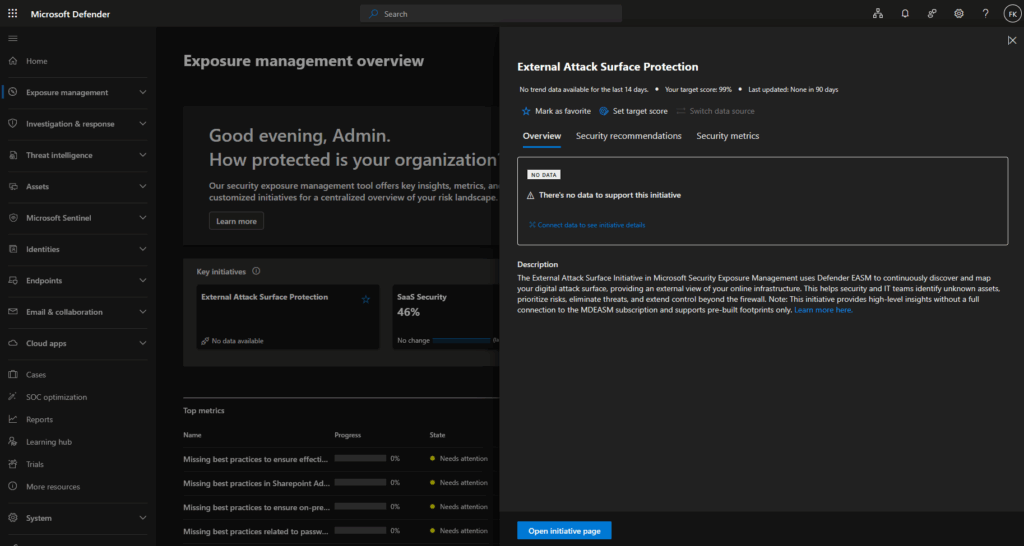
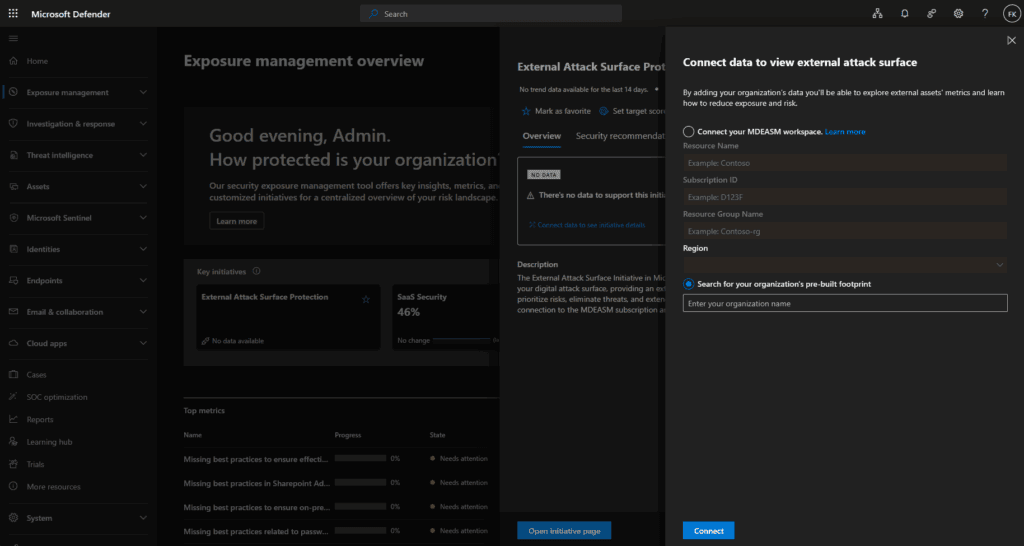
Step 2 – Connect EASM data to the initiative
- In the initiative view, click Connect data to see initiative details
- Choose one of the following options:
- Connect your MDEASM workspace
- Search for your organization’s pre-built footprint
Step 3 – Fill in workspace details (if applicable)
If you choose to connect a workspace:
- Enter the following:
- Resource name (e.g.,
secmanagementeasmprd001) - Subscription ID
- Resource group name
- Region
- Resource name (e.g.,
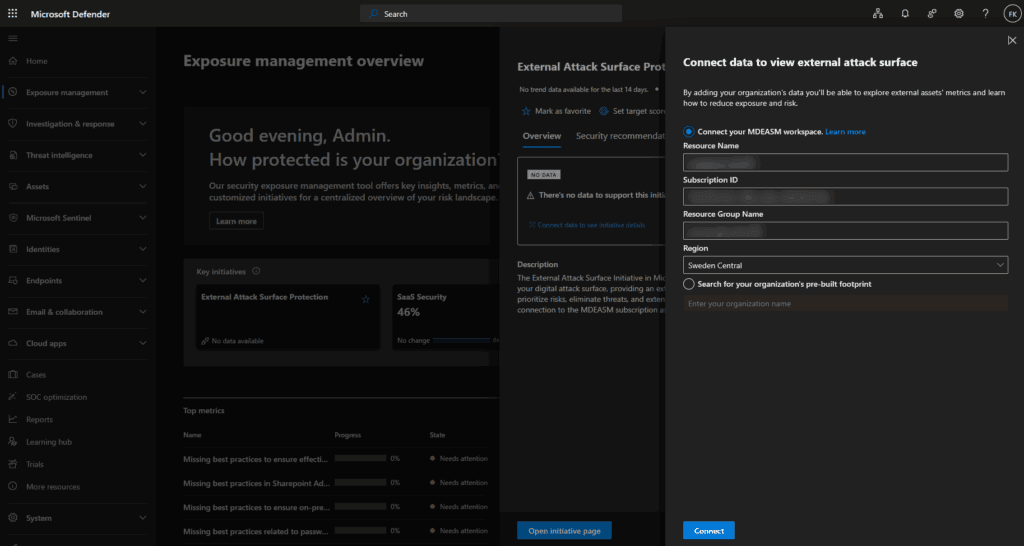
If using the pre-built option:
- Enter your organization’s name
Click Connect to finalize the integration
Step 4 – Wait for data ingestion
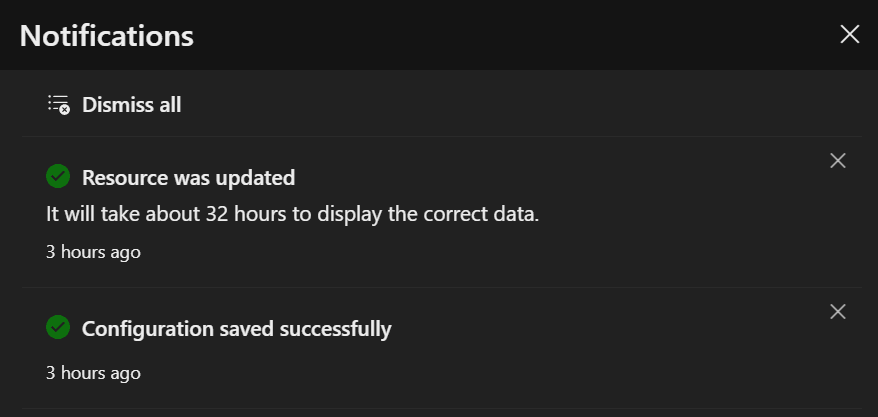
- A notification will confirm the configuration was successful
- It may take up to 32 hours for data to populate within the initiative
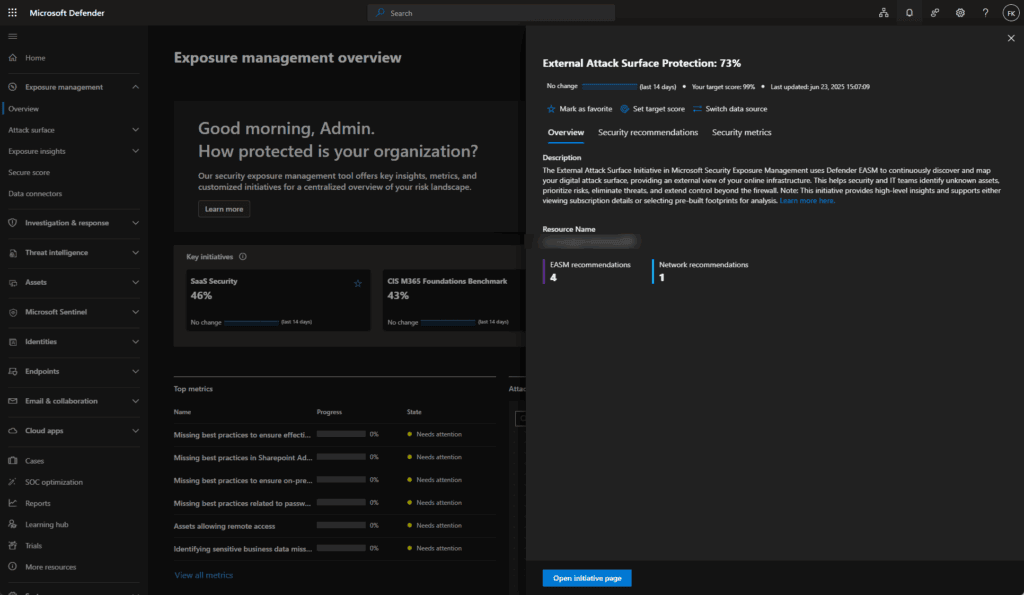
- Once complete, EASM data will enrich the External Attack Surface Protection dashboard with information:
Step 5 – Review security metrics
- In the External Attack Surface Protection initiative, go to the Security metrics tab
- Review metrics such as:
- Assets allowing remote access
- Recently expired SSL certificates
- Expired domains
- Internet-facing assets with critical CVEs
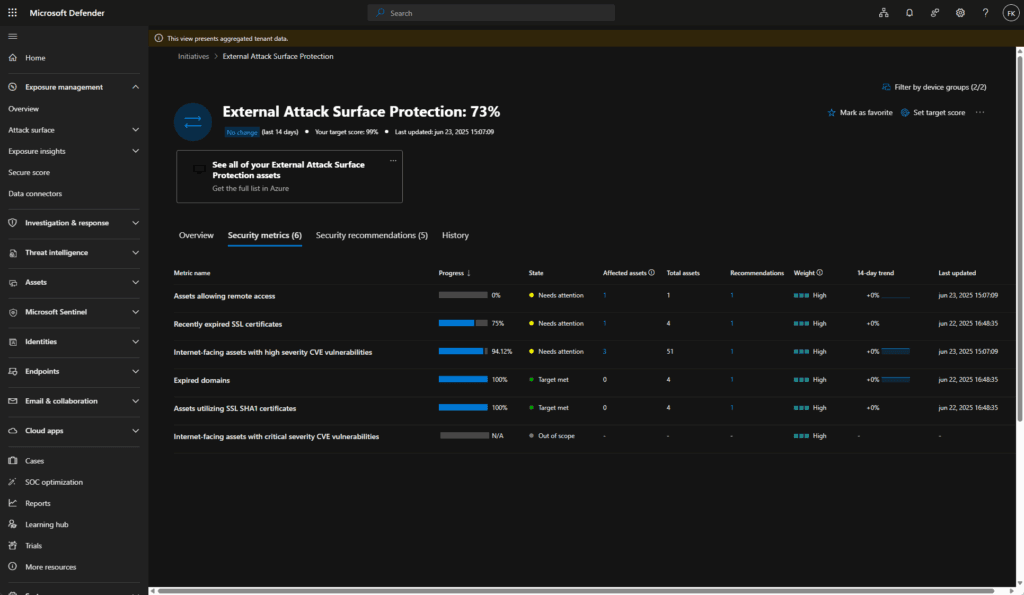
Each metric will show progress, affected asset count, and remediation state
Step 6 – Check security recommendations
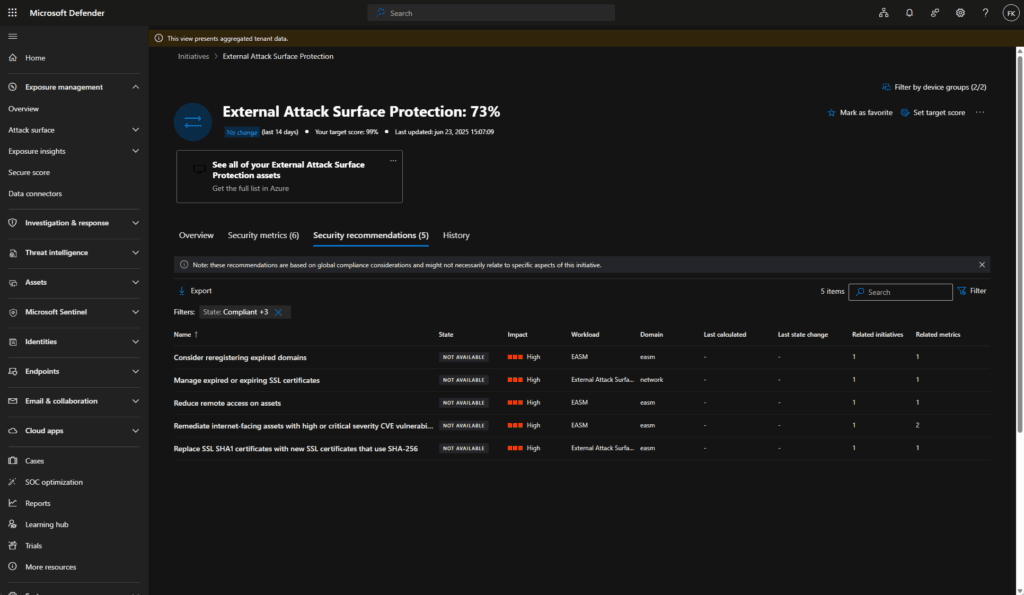
- Navigate to the Security recommendations tab
- Review actionable recommendations such as:
- Replace weak certificates (e.g., SHA1)
- Reclaim expired domains
- Remove public remote access
- Remediate exposed high-severity CVEs
Click on any recommendation for remediation steps and affected asset details
Step 7 – View affected assets
- From any metric or recommendation, switch to the Affected assets tab
- Confirm:
- Asset type (e.g., IP address, domain)
- Last seen timestamp
- Severity and impact
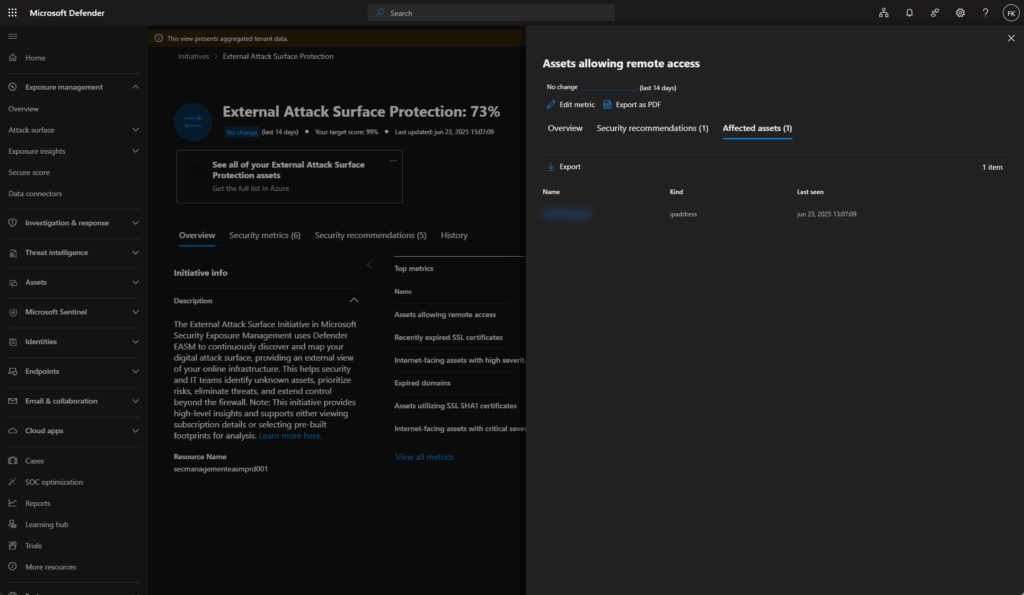
You can export this list or use it to plan mitigation
Attack Paths and example scenarios enabled by the integration
Explore Attack Paths
- Go to Exposure management > Attack paths (outside the initiative page)
- Filter by:
- Entry point: External
- Signal source: External Attack Surface Management
- Identify if any paths link:
- External assets → exposed service → identity → privilege escalation
Here are some realistic use cases that become visible after the integration:
| Scenario | Description |
|---|---|
| Legacy web admin portal | An untracked admin subdomain is publicly exposed. The linked service uses an expired TLS cert and leads to a backend server with no endpoint protection |
| Unmanaged cloud asset | A forgotten Azure Web App is exposed via a verified domain and linked to an Entra ID identity without Conditional Access |
| Shadow IT domain | EASM discovers a new subdomain with an open port. That system communicates with internal infrastructure and can be reached without authentication |
| Guest user access | A guest account in Entra has permissions on an externally accessible application discovered by EASM |
Known limitations (preview)
As of the June 2025 public preview, note the following:
| Limitation | Detail |
|---|---|
| Partial regional availability | Not all tenants may have access immediately |
| UI improvements ongoing | Path visualizations are improving but may not show full context in all cases |
| Asset linking | Some public assets may not resolve correctly if ownership or DNS metadata is incomplete |
| No backfill | EASM data is used prospectively — it does not retroactively enrich old attack paths |
Extra resources
https://learn.microsoft.com/en-us/security-exposure-management/whats-new
https://learn.microsoft.com/en-us/security-exposure-management/integration-licensing
Final thoughts
As someone who regularly advises organizations on exposure management, this integration is the most strategic improvement Microsoft has released this year. It aligns your visibility with the attacker’s perspective and moves beyond the internal bubble most tooling still lives in.
For security teams working with Defender XDR and EASM, enabling this is low-effort and high-impact. And if you haven’t explored Microsoft Exposure Management yet, this is a compelling reason to start. Seeing your attack surface as an attacker would is no longer optional. It’s foundational :).