


Introduction to Microsoft Defender for Endpoint (MDE) Endpoint Deception Capability
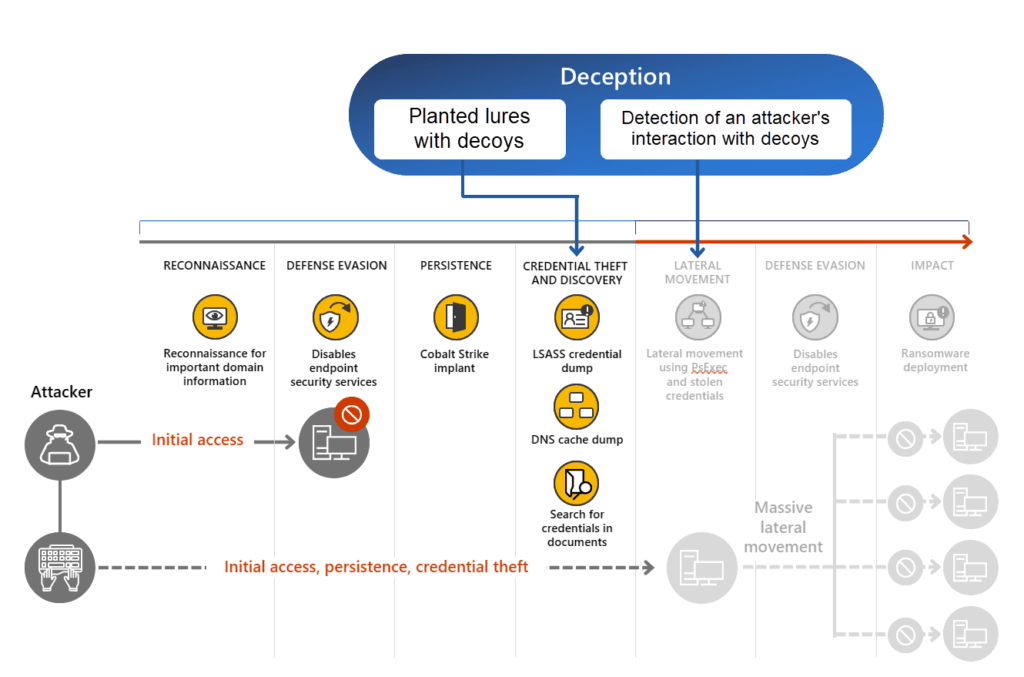
Microsoft Defender for Endpoint (MDE) introduces Endpoint Deception, an advanced security feature designed to detect and deter cyber threats by deploying deceptive elements within an organization’s network. These elements, including decoy accounts, hosts, and lures, appear valuable to attackers but are actually traps that trigger alerts upon interaction.
Why is Deception in MDE important?
Attackers rely on reconnaissance techniques to identify valuable assets before launching attacks. By integrating deceptive elements into an environment, organizations can detect potential threats early and mitigate risks before they escalate. This proactive approach enhances defenses against advanced persistent threats (APTs), ransomware, and lateral movement tactics.
Benefits of Endpoint Deception in MDE
| Benefit | Description |
|---|---|
| Early threat detection | Decoys expose attackers before an actual breach occurs, allowing teams to react faster. |
| Minimal false positives | Since legitimate users do not access decoys, deception alerts have high accuracy. |
| Lateral movement Iidentification | Decoys placed in different segments track unauthorized access attempts across networks. |
| Enhanced threat intelligence | Security teams gain insights into attacker techniques, supporting better detection rules. |
| Seamless integration | Works natively with Microsoft Defender for Endpoint and Microsoft Sentinel for improved incident response. |
Prerequisites and Licensing for MDE Endpoint Deception
Licensing overview
| Component | Licensing Requirement |
|---|---|
| Microsoft Defender for Endpoint | Defender for Endpoint Plan 2 |
| Microsoft 365 E5 / Security E5 | Required for full deception capabilities |
| Microsoft Entra Integration | Devices must be joined or hybrid joined |
Supported platforms and configuration requirements
- Supported Operating Systems: Windows 10 RS5 (version 1809) and later
- PowerShell: Must be enabled for endpoint decoy management
- Microsoft Entra integration: Required for full Endpoint Deception support
- Required role permissions: Global Administrator or Security Administrator
Enabling the Deception Capability in MDE
- Open the Microsoft Defender Portal and sign in with administrator credentials
- Enable Deception in Advanced Features:
- Navigate to Settings > Endpoints > Advanced Features
- Locate Deception and toggle it On
- Click Save preferences
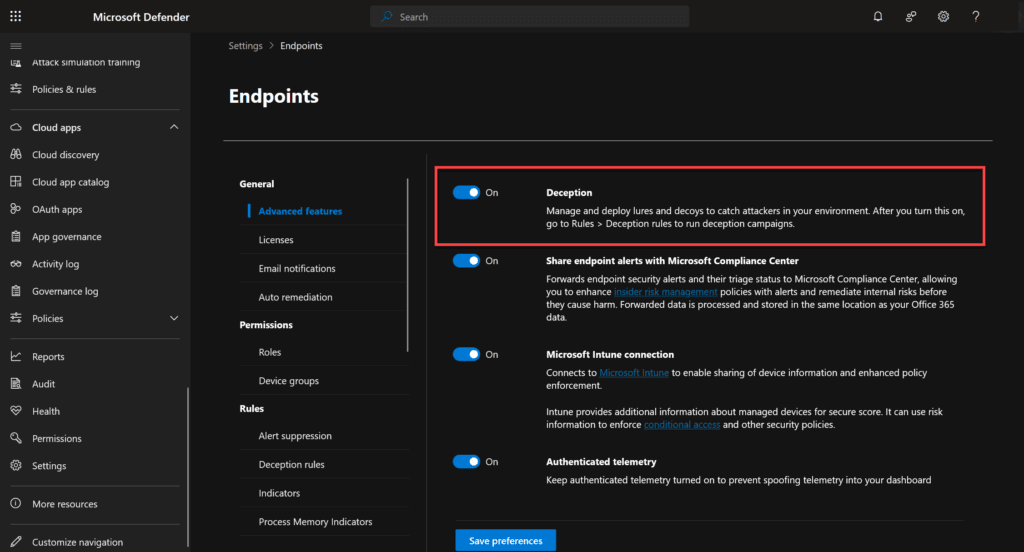
Configuring Basic Lures and Decoys
Steps to configure Basic Lures and Decoys
- Navigate to Settings > Endpoints > Deception Rules
- First disable the Default deception rule (recommended)
- Click Add deception rule
- Provide a name and description
- Select Basic Lures (good one to start with):
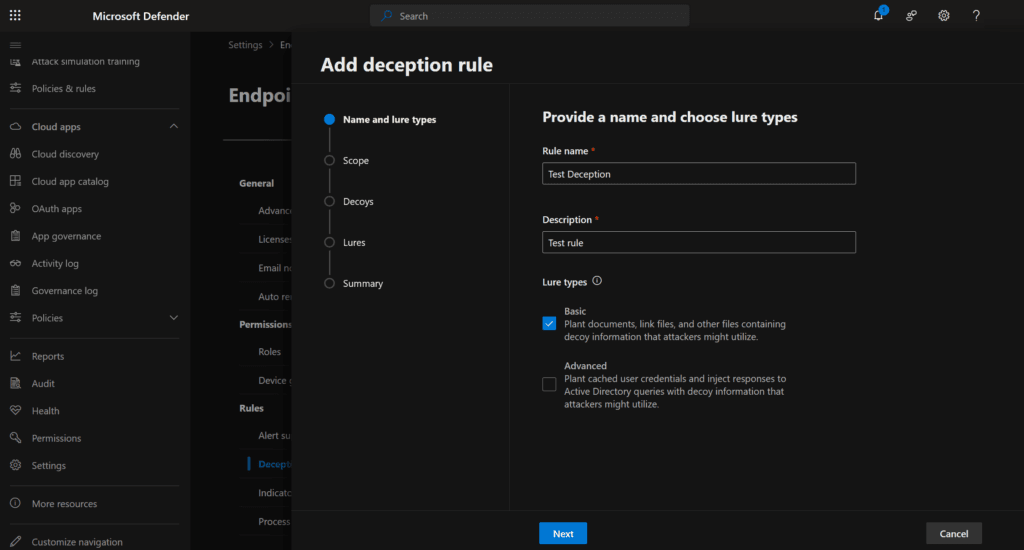
- Assign the deception rule to all devices or specific tagged devices:
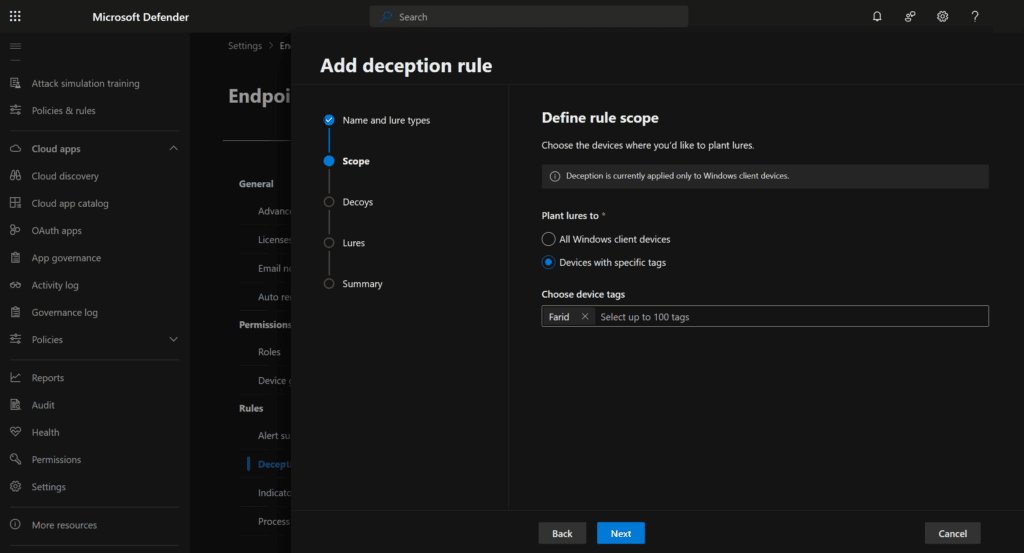
- Leave the prefilled Decoys and Hosts as-is (this is generated by Microsoft based on Company information like users and known hosts:
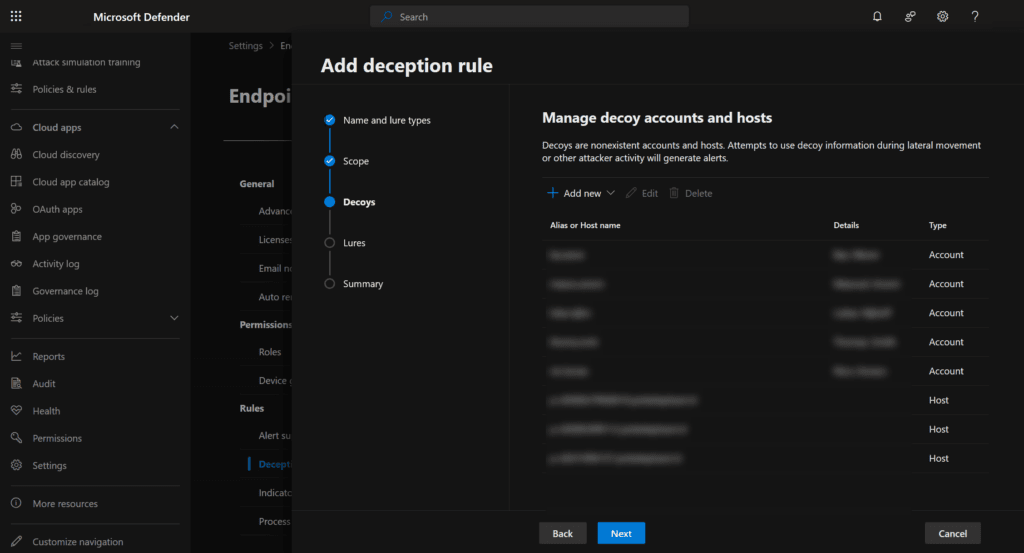
- Use autogenerated lures (in the chapter I will cover the custom setup):
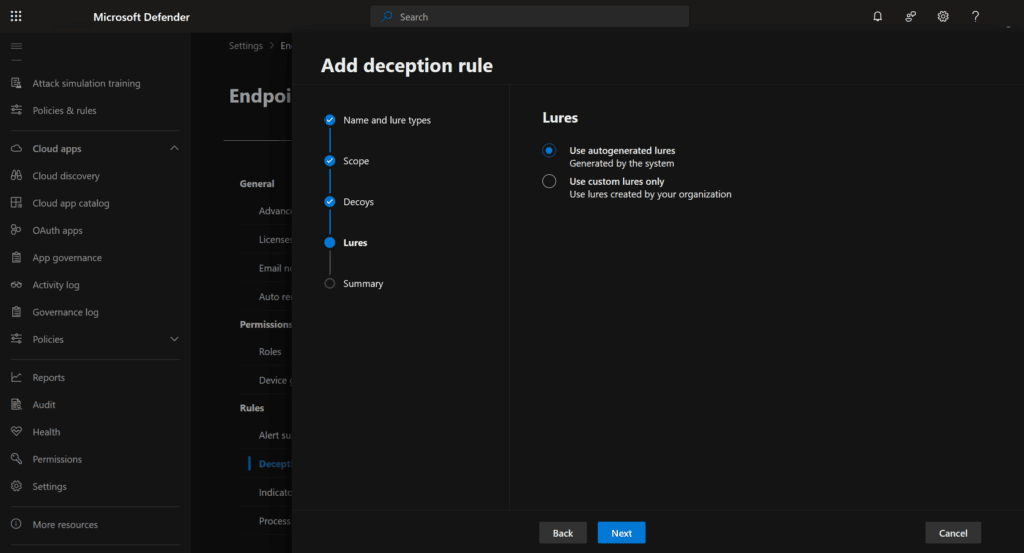
- Click Next, review settings, and deploy:
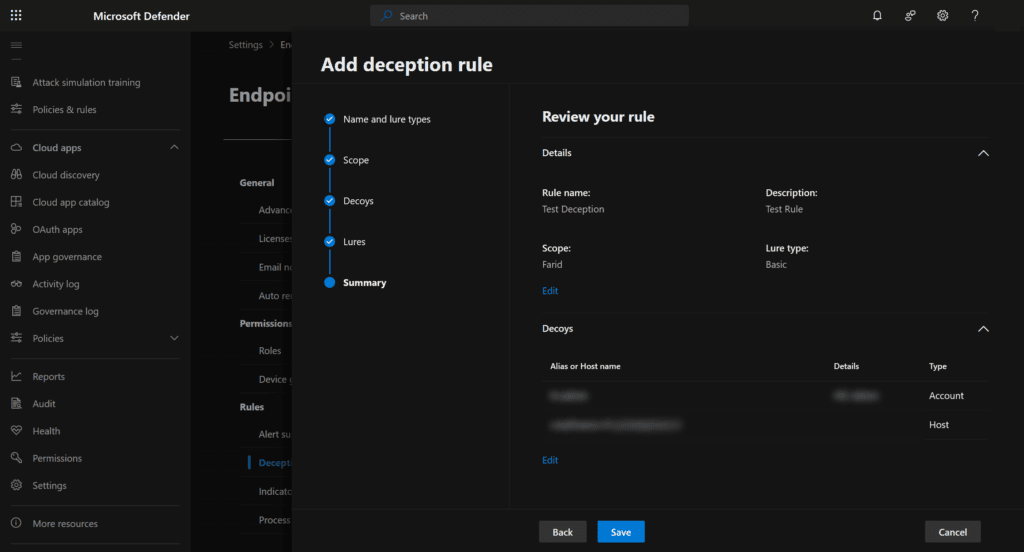
Configuring Advanced Lures (more control and flexibility)
Steps to configure Advanced Lures
- Navigate to Settings > Endpoints > Deception Rules
- Click Add deception rule
- Provide a name and description
- Select Basic Lures and Advanced Lures:
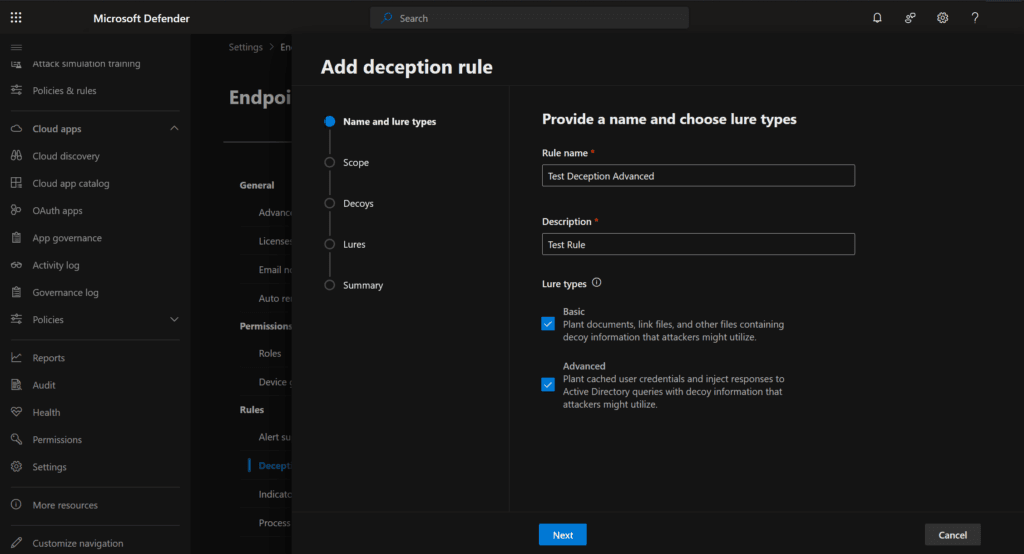
- Assign the deception rule to all devices or specific tagged devices:
- Click Add new and enter fake usernames or hostnames e.g. (you can leave it pre-filled as before / In my example I add custom ones for the sake of the demo):
finance.admin (Decoy account)
administration (Decoy host)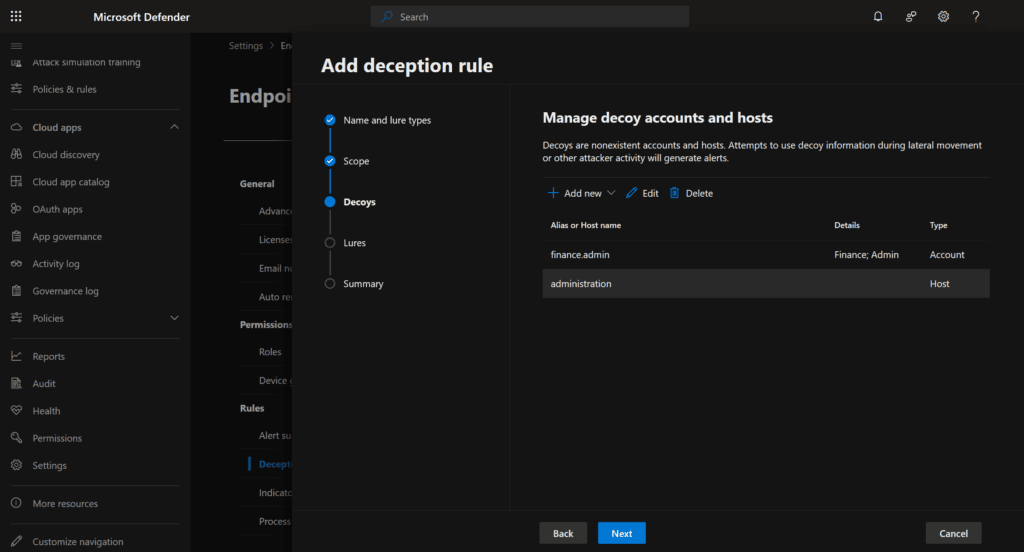
- Use custom lures only (this is for deploying custom crafted information):
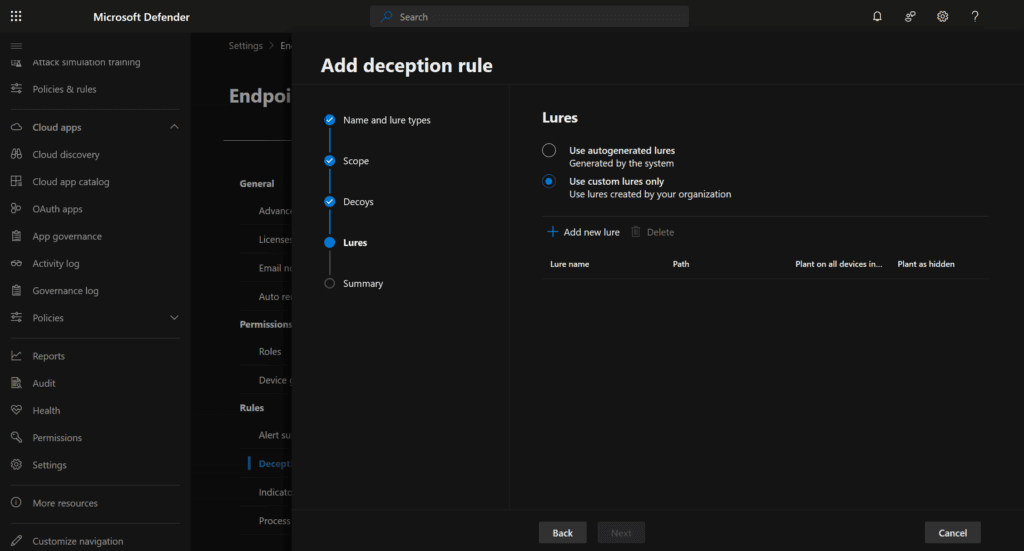
- Select the custom lures like documents, password files, some tempting information that could be attractive for a hacker (and specify to be hidden). You can also use Honeytokens or Canary’s here:
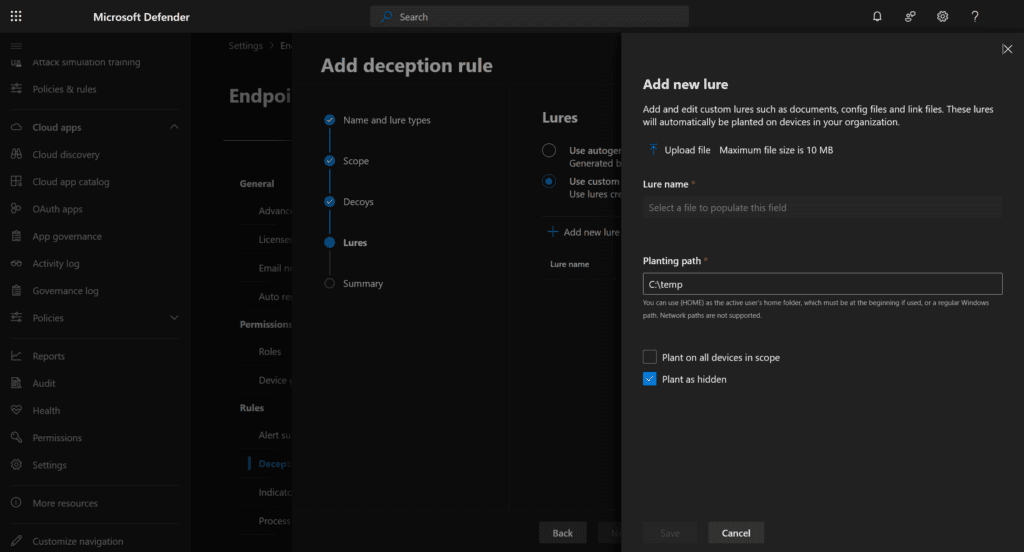
- Review and save:
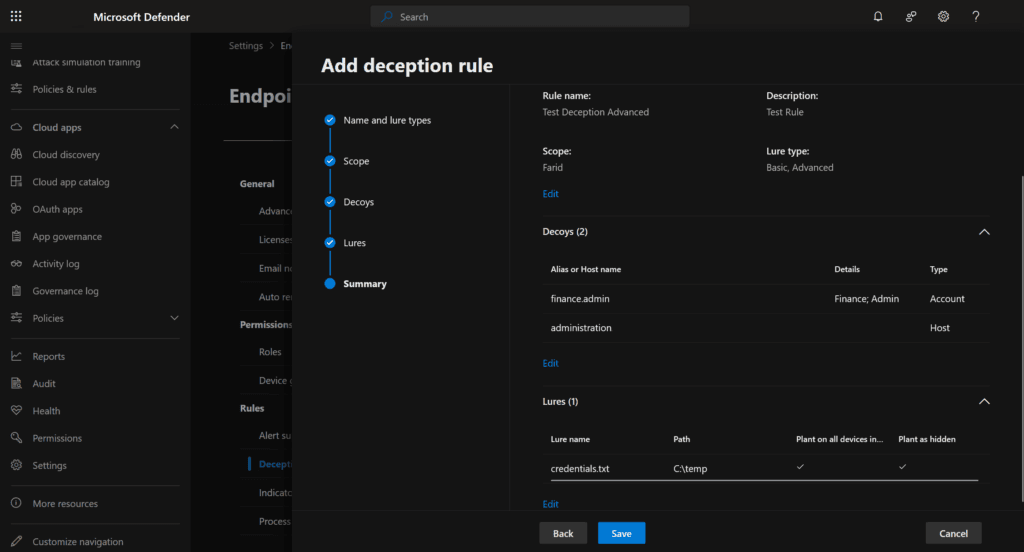
- Now wait for the lures to get deployed (this can take a while)
Tools and Techniques for Testing Endpoint Deception
Simulating Lateral Movement with PsExec
PsExec.exe \\devicename -u hr.admin -p FakePassword cmd.exe
Validates if deception alerts trigger when lateral movement is attempted
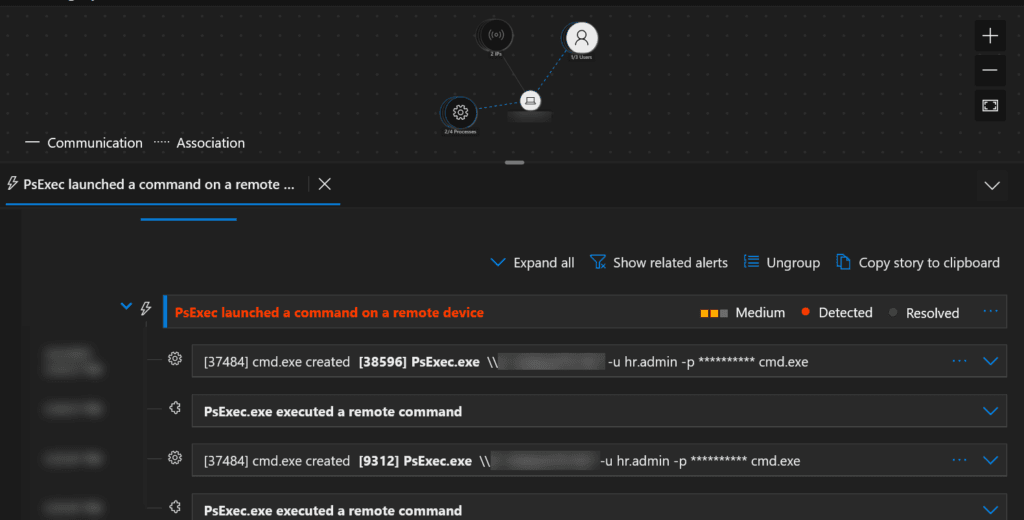
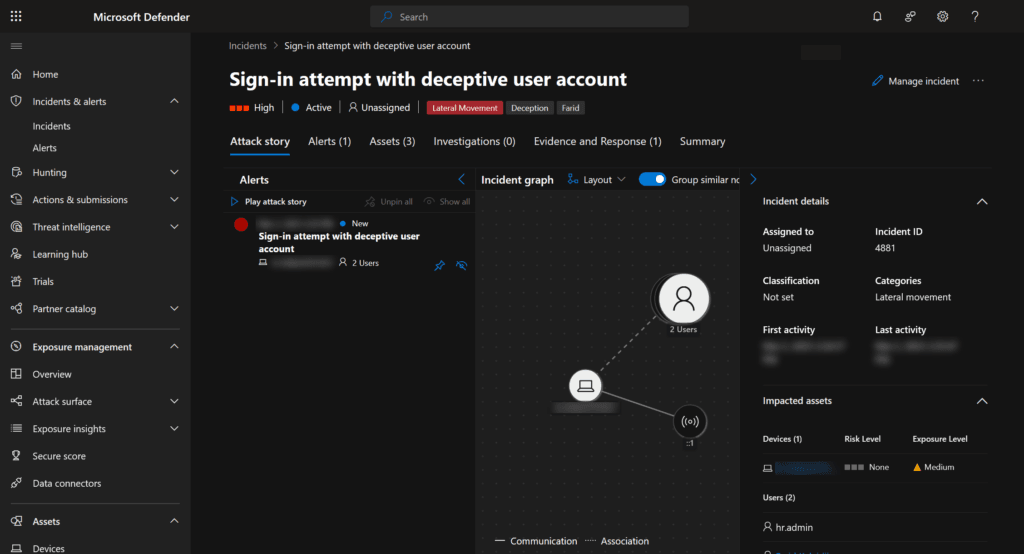
Simulating Unauthorized Decoy Account Access
net use \\devicename\C$ /user:hr.admin FakePassword
Checks for unauthorized login alerts in Defender
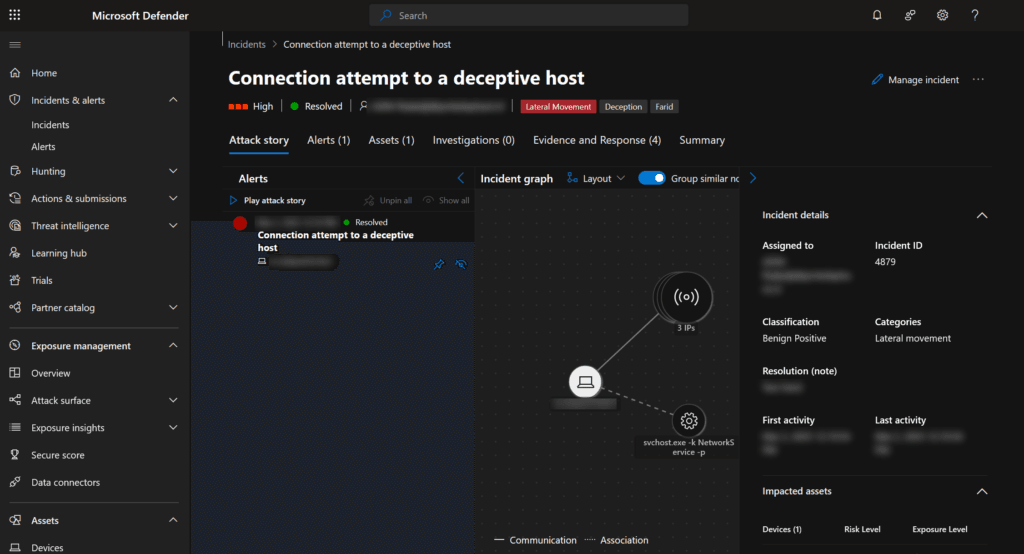
Simulating Network Reconnaissance
nmap -sV -Pn corpfinance-01.hostname.xx
Tests for network scanning detection
Integrating MDE Decoy alerts with Microsoft Sentinel
Setting up Data Connectors
- Enable Microsoft Defender for Endpoint in Sentinel
- Enable Microsoft Defender for Identity for tracking Active Directory decoys
- Create custom analytic rules to map deception alerts into Sentinel dashboards
Sentinel KQL Query for Decoy Alerts
SecurityAlert
| where ProviderName == "MDATP"
| where AlertName contains "deceptive" or AlertName contains "Decoy"
| project TimeGenerated, AlertName, CompromisedEntity, AlertSeverity, Tactics, Techniques, Entities, AlertLink
| order by TimeGenerated desc
Detects all deception-related alerts from Defender for Endpoint
Automating Response with Sentinel Playbooks
- Isolate compromised devices using Defender API and/or playbooks
- Trigger an incident response ticket in Sentinel
- Send alerts to security teams
Additional Resources
https://learn.microsoft.com/en-us/defender-xdr/deception-overview
Conclusion
Microsoft Defender for Endpoint’s Endpoint Deception capability enhances security by detecting threats early, preventing lateral movement, and providing high-confidence alerts. Integrating deception tactics with Microsoft Sentinel strengthens incident response and threat intelligence.